
If you’re just starting your journey with customer relationship management tools, choosing the right CRM can feel confusing. With so many options out there — each promising automation, better sales, and improved customer experience — it’s hard to know where to begin.
But the good news?
You don’t need to be a tech expert to understand or use a CRM. In fact, the best CRM for beginners is simple, user-friendly, and helps you manage leads without overwhelming features.
Let’s make it easy.
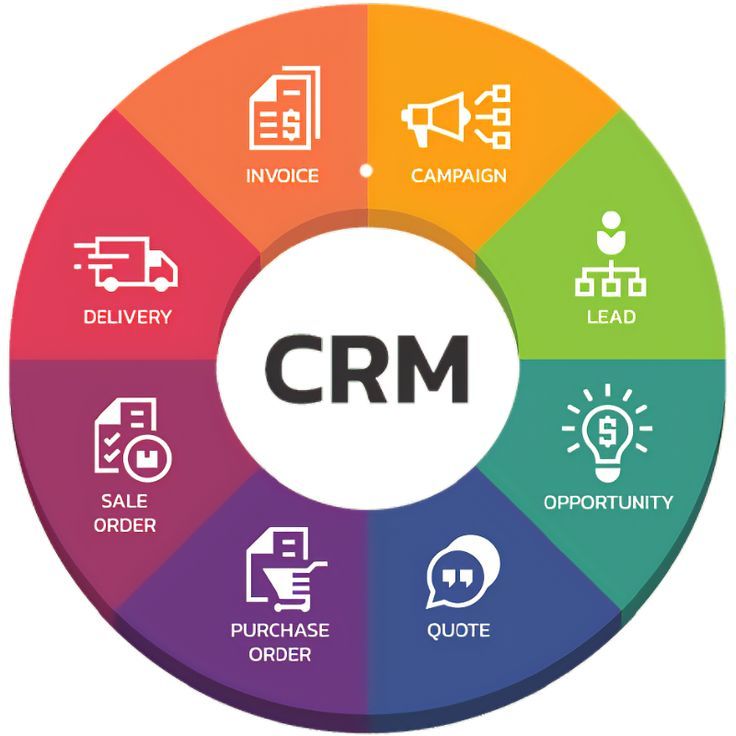
Table of Contents
What Is CRM for Beginners?
CRM (Customer Relationship Management) software helps you store customer information, manage leads, track sales, and improve follow-ups.
A CRM for beginners is specifically designed to be:
- Easy to learn
- Simple to navigate
- Low-cost or even free
- Flexible for small teams
- Quick to set up
You don’t need coding skills — just the willingness to organize your customer data in one place.
Why Beginners Need a CRM
If you’re handling customers through:
- Excel sheets
- Notes
- Emails
…you’re probably losing leads without even realizing it.
A beginner-friendly CRM solves that by:
- Keeping all customer data in one dashboard
- Sending reminders automatically
- Helping you track follow-ups
- Showing who is ready to buy
- Improving team communication
Simply put — a CRM helps you close more deals without stress.
How to Choose the Right CRM for Beginners
Here are the key things beginners should look for:
1. Easy Setup & User-Friendly Dashboard
A CRM should feel simple, not technical.
Look for:
- Drag-and-drop pipelines
- Clean design
- Simple navigation
- Quick tutorials
If a CRM feels complicated on day one, skip it.
2. Lead Management Made Simple
A beginner CRM must help you:
- Add leads easily
- Track every conversation
- Prioritize hot leads
- Set follow-up reminders
Leads should never get lost again.
3. Automation of Basic Tasks
Automation is a lifesaver for beginners.
Choose a CRM that lets you:
- Send automatic reminders
- Assign tasks
- Move leads based on actions
- Auto-capture leads from social media or website
This saves time and reduces manual work.
4. Affordable Pricing
Beginners often don’t need advanced features.
Choose a CRM that:
- Offers a free plan
- Has affordable upgrades
- Doesn’t force unnecessary add-ons
Start small — upgrade when your business grows.
5. Mobile App Support
A CRM for beginners must have a mobile app.
You should be able to:
- Check leads
- Update status
- Add contacts
- Reply to customers
…from anywhere.
6. Integration with Everyday Tools
Choose a CRM that works with:
- Google Workspace
- Facebook & Instagram lead forms
- Your website
This ensures smooth workflow from day one.
7. Reports & Insights (Beginner Level)
You don’t need complex analytics.
Just look for simple reports like:
- Total leads
- Follow-ups due
- Closed deals
- Sales progress
Basic insights help you improve quickly.
Top Features You Should Expect in a Beginner CRM
- Contact management
- Lead tracking
- Follow-up reminders
- Pipeline view
- Notes & history
- Mobile app
- Basic automation
- Simple reporting
Anything beyond this is optional for beginners.
Why the Right CRM Matters for Beginners
Choosing the right CRM early saves you from:
- Losing potential customers
- Missing follow-ups
- Confused communication
- Improper data management
- Manual workload
With a beginner-friendly CRM, you build better habits and a stronger workflow from the start.
Final Thoughts
Choosing the right CRM for beginners doesn’t have to be difficult. Start with something simple, clean, and easy to learn. You don’t need advanced automation or complex dashboards on day one — just a tool that keeps your customer data organized and helps you follow up on time.
Once your business grows, you can always upgrade to a more powerful CRM.
But right now, focus on simplicity.
The right CRM will help you close more deals, stay organized, and grow your business without stress.
FAQs
1. What is the best CRM for beginners?
The best CRM for beginners is one that is easy to use, affordable, and offers simple features like lead tracking and reminders. Popular beginner options include Zoho CRM, HubSpot CRM, and Freshsales.
2. Do beginners really need a CRM?
Yes. A CRM helps beginners manage leads, track conversations, automate follow-ups, and avoid losing potential customers.
3. Is CRM difficult to learn for beginners?
No. Beginner-friendly CRMs come with clean dashboards, tutorials, and mobile apps that make learning very easy.
4. How much does a beginner CRM cost?
Many CRMs offer free plans. Paid plans for beginners typically start from ₹500–₹1500 per month.
5. Can a CRM work for small businesses or freelancers?
Absolutely! CRM is perfect for freelancers, startups, and small teams who want to stay organized and increase sales.